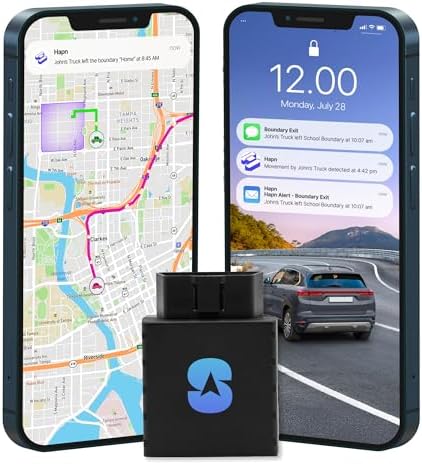
A real-time GPS tracker does not show a perfectly continuous, delay-free location. It collects location data, sends reports through a network, processes them on the provider’s platform, and refreshes an app or web map. Every stage can add delay.
The practical buying question is therefore not “is it real time?” It is:
How often is the device configured to report while moving, what conditions can interrupt that report, and what do faster updates cost in money and battery life?
For a dedicated car, a vehicle-powered Spytec Pulse OBD or Bouncie avoids tracker recharging. For a tracker moved between vehicles or assets, Spytec Atlas Portable and LandAirSea 54 provide faster portable options. Tracki Universal trades some update speed for compact size, physical alert buttons, and broader travel positioning.
This guide explains the reporting decision. For ranked products, use our best GPS trackers for cars or best portable GPS trackers.
Real-time GPS tracker speeds compared
| Tracker | Type | Fastest published interval | Current service reference | Power tradeoff | Source |
|---|---|---|---|---|---|
| Spytec Pulse OBD | Vehicle-powered OBD | 1–2 seconds across two current official pages | $14.95 monthly or $8.95/month equivalent on annual prepay | No separate tracker charging; requires a compatible OBD-II vehicle | Pricing page, product page |
| LandAirSea 54 | Rechargeable portable | 3 seconds | $49.95/month for the three-second tier | Fast reporting shortens usable battery time | LandAirSea 54 plans |
| Spytec Atlas Portable | Rechargeable portable | 5 seconds | $34.95 monthly or $22.95/month equivalent on annual prepay | Up to two weeks is a maximum claim, not a five-second guarantee | Spytec pricing |
| Tracki Universal 4G | Rechargeable portable | 15 seconds on the fastest current documented plan | $29.95 monthly or $251.58 annual prepay | Tracki recommends a larger battery for 15- and 30-second plans | Tracki plans |
| Bouncie | Vehicle-powered OBD | 15 seconds while driving on its current product guidance | $9.65/month for one device after hardware purchase | Draws vehicle power and changes behavior when parked | Bouncie tracking explanation, pricing |
Spytec currently publishes inconsistent fastest figures for Pulse OBD: its pricing page says one second, while a current product page says up to two seconds. We show the range instead of choosing the more favorable claim.
What “real time” actually measures
Three measurements are often collapsed into one marketing phrase.
1. Device sampling
The tracker estimates a location from available signals. A device may collect data more frequently than it sends data.
2. Reporting interval
This is the scheduled gap between transmitted reports while the relevant tracking mode is active. A five-second setting means the device is configured to attempt reports at that interval under supported conditions. It does not guarantee that every report reaches the app exactly five seconds apart.
3. App refresh and display delay
The provider receives the report, processes it, and displays it. Weak cellular service, server delay, app background restrictions, or a stale browser session can make a fast tracker appear slower.
Bouncie illustrates the distinction clearly: its current help material says the device records driving data every second, while its buyer guidance describes 15-second live-map updates. “Records every second” and “shows a new remote location every second” are not the same claim.
How much update speed do you need?
One to five seconds
This tier can make route movement appear smoother and may help dispatchers understand frequent turns or stops. It is most practical on an OBD or hardwired tracker that has continuous vehicle power.
For a rechargeable tracker, this frequency increases charging pressure. It may also require the provider’s most expensive plan.
Fifteen to sixty seconds
This is sufficient for many family-vehicle, travel, and movable-asset situations. It shows meaningful route progress without demanding the highest service tier. Tracki sells 15-, 30-, and 60-second options; Bouncie describes 15-second moving updates.
Several minutes
Slower reports can work for periodic asset status, route history, or a vehicle that does not need a smoothly moving map. LandAirSea’s lower-cost plan starts at three-minute updates.
Hourly or daily
These modes favor battery preservation. They fit stored equipment, trailers, boats, and other assets that may remain still. They do not fit a buyer expecting a live route.
Fastest does not mean best
A faster interval changes four things:
- Battery use: the tracker wakes, estimates location, and transmits more often.
- Service cost: some providers reserve faster reporting for higher-priced plans.
- Data density: route history contains more points, which can help with close timing but can also create unnecessary detail.
- Expectation risk: buyers may treat a one-second specification as a guarantee of uninterrupted coverage or meter-level accuracy.
Choose the slowest interval that still solves the job. A daily trailer status check does not need one-second updates. A dispatcher following active service vehicles may value them.
Portable vs OBD vs hardwired for live tracking
| Installation | Best fit | Main strength | Main limitation |
|---|---|---|---|
| Portable battery tracker | Movable vehicles, luggage, tools, trailers, and unpowered assets | No vehicle compatibility requirement; easy to relocate | Must be retrieved and charged; fast reports consume more power |
| OBD plug-in tracker | Compatible daily-driven cars and light trucks | Continuous vehicle power and quick installation; may add diagnostics | Occupies a visible diagnostic port and can be unplugged |
| Hardwired tracker | Permanent vehicle or equipment installation | Continuous power and less casual removal | Installation effort; difficult to move between assets |
| Long-life asset tracker | Trailers, boats, RVs, containers, and stored equipment | Low-maintenance periodic reporting | Large battery and slow mode are not intended for a smooth live route |
Start with power and installation, not the largest speed number. Our portable tracking device comparison connects reporting intervals to charging access, mounting and service costs. The car tracker comparison includes OBD and portable products.
What a faster GPS tracker costs
The most visible monthly price often corresponds to a slower interval or a long prepaid term.
Spytec
Spytec currently includes hardware with direct service plans and does not list a separate speed surcharge for the fastest interval supported by each model. Pulse OBD is the lowest-cost current Spytec vehicle plan; Atlas Portable costs more because it solves a different installation problem.
| Model | Monthly | Annual prepay equivalent | Fastest current published interval |
|---|---|---|---|
| Pulse OBD | $14.95/month | $8.95/month | 1–2 seconds across current official pages |
| Atlas Portable | $34.95/month | $22.95/month | 5 seconds |
LandAirSea
LandAirSea ties the price directly to the selected reporting interval:
| Reporting interval | Month to month | One-year prepay |
|---|---|---|
| 3 minutes | $19.95/month | $179.55 |
| 1 minute | $24.95/month | $224.55 |
| 30 seconds | $34.95/month | $314.55 |
| 10 seconds | $39.95/month | $359.55 |
| 5 seconds | $44.95/month | $404.55 |
| 3 seconds | $49.95/month | $449.55 |
Tracki
Tracki also charges more for faster service:
| Reporting interval | Month to month | One-year prepay |
|---|---|---|
| 1 minute | $19.95/month | $167.40 |
| 30 seconds | $24.95/month | $209.58 |
| 15 seconds | $29.95/month | $251.58 |
These tables exclude tax, shipping, optional batteries, mounts, cases, promotions, and separately purchased hardware. For a broader first-year comparison, see our GPS tracker coverage and subscription plan guide.
GPS tracker app features to compare
The companion app determines whether fast hardware produces useful information. Check these functions before paying for a long term:
Timestamp and connection state
The map should show when the location was recorded or received. “Last location” and “current location” must not look identical. Battery and connection health should be visible without opening several menus.
Route history
Confirm how long history is retained, whether stops are easy to distinguish, and whether routes can be shared or exported. More data points are useful only when the history remains readable.
Geofences and movement alerts
Look for entry, exit, movement, speed, ignition, tamper, or unplugged-device alerts that fit the installation. Test notifications before relying on them.
Shared access
Families and small teams should be able to grant and remove access without sharing one password. Spytec documents Admin and Collaborator roles; Tracki supports multiple devices in one account; Bouncie supports shared vehicle access.
Web access
A mobile app is convenient for alerts, while a web portal can be easier for route review and multiple devices. Spytec’s Hapn platform, LandAirSea SilverCloud, and Tracki all document web access.
Privacy and account control
Use a unique password, enable available account protections, remove old users, and understand what happens to stored history when service is cancelled.
Why a real-time tracker can appear offline
Work through the system in order:
- Read the timestamp. Determine whether the app shows a stale point or no point.
- Check power. Recharge a portable tracker or inspect an OBD or hardwired connection.
- Check the subscription. An expired or unactivated plan can stop remote reporting.
- Move to a usable signal location. Metal enclosures, parking structures, and tunnels can affect satellite and cellular reception.
- Check the active mode. Sleep, low-power, parked, or daily-report modes behave differently from live movement tracking.
- Refresh or reopen the app. Background restrictions and stale sessions can delay the display.
- Use the provider’s support steps. A tracker may store data while offline and upload it after reconnecting.
Do not interpret a delayed point as proof that the object has not moved.
Cellular GPS vs AirTag vs satellite tracking
Cellular GPS
Best when scheduled remote reports, route history, geofences, and alerts are required in an area with supported cellular service.
AirTag and Bluetooth item finders
Best for finding personal belongings through a nearby-device network without a cellular subscription. They do not expose a user-selected reporting interval and should not be presented as dedicated real-time cellular GPS trackers.
Satellite communicators and trackers
Best when the use case extends beyond reliable cellular coverage. Hardware, service, sky-view requirements, messaging, and emergency functions differ substantially from consumer car trackers.
The right network matters more than a fast interval that cannot transmit where the device will operate.
A practical decision checklist
- Decide whether you need a live route, periodic location, or lost-item recovery.
- Choose portable, OBD, hardwired, or long-life asset hardware.
- Identify every country, highway, garage, and remote area that matters.
- Compare reporting intervals at the same service commitment.
- Check how the chosen interval changes battery life.
- Verify app timestamps, history, alerts, sharing, and device health.
- Test the tracker on an ordinary route before relying on it.
- Use the device only on a vehicle, asset, or person you have legal authority and appropriate consent to monitor.
Research notes and sources
We reviewed current search-result structures, official product pages, plan tables, and help documentation. We did not conduct a synchronized route test, battery rundown, or accuracy benchmark, so the tables describe published capabilities rather than measured winners.
Primary sources checked July 31, 2026: Spytec pricing, Spytec Pulse OBD, LandAirSea 54, Tracki plans, Bouncie app guide, and Bouncie connection troubleshooting.
Affiliate disclosure: BetterPickAdvisor may earn a commission from qualifying purchases made through some links in this GPS content cluster. This guide is organized around reporting behavior and plan tradeoffs rather than commission status.