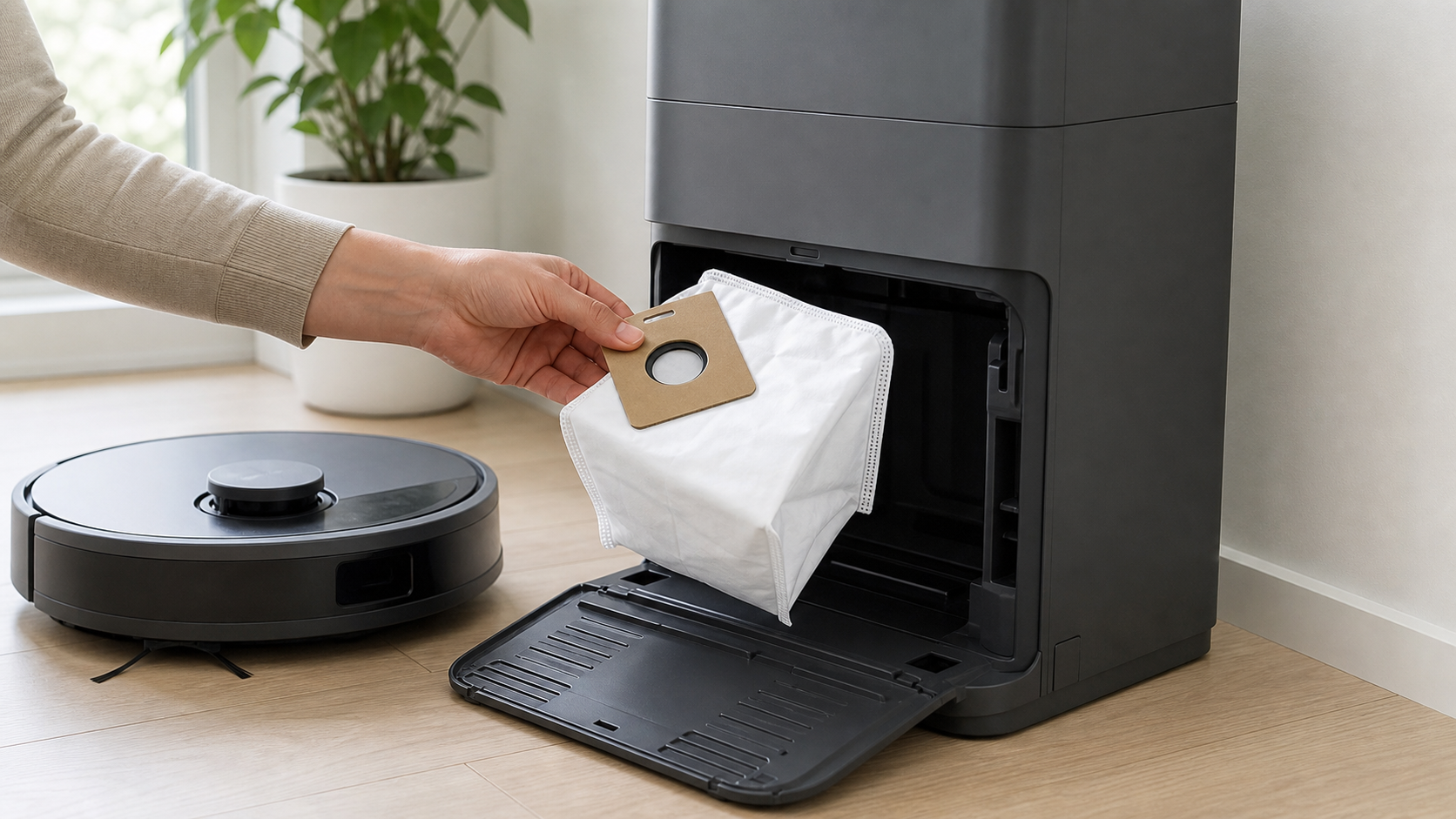
Most searches for “how to empty a Roborock dust bag” use the wrong verb. On compatible Roborock auto-empty docks, the bag is normally disposable: you remove and replace it when full. Do not cut it open, shake it out, or run the dock without a bag installed.
First, confirm that you actually have a bagged auto-empty dock. A robot without an auto-empty base has an onboard dustbin to empty manually; a bagless base follows different instructions. The product label and model manual are the source of truth.
Replace a Roborock auto-empty dock bag
The cover and container shape differ by dock. The safe shared process is:
- Wait until the dock is not running an emptying cycle.
- Open the dock’s dust-container cover according to your model manual.
- Remove the dust container or bin section if your dock requires that step.
- Pull the disposable bag out vertically by its handle; do not squeeze the bag body.
- Discard the sealed bag with household waste, following local disposal rules.
- Use a dry cloth to remove loose dust around the dock’s filter area.
- Slide a new compatible bag fully into its slot, spreading it into place if the manual directs you to.
- Reinstall the container and close the cover securely.
The Roborock Empty Wash Fill Dock manual specifies this same sequence: lift the dock bin, remove the bag vertically, discard it, dry-clean the area around the filter, slot the new bag fully down, then reinstall the bin. It also says the handle seals the bag as you remove it.
Do not run the dock with no bag
Roborock manuals repeatedly warn that a bag must be installed before closing the dust container cover. Running an auto-empty cycle without the bag can release debris into the dock and create a harder cleaning or repair problem. If you have no replacement, disable auto-emptying in the app until you do.
The bag fits only a defined group of docks. Use the exact Roborock bag specified for your model instead of buying by a similar-looking product photo.
How often should you replace it?
There is no honest universal number. Some official dock manuals list a one-to-two-month replacement interval, but a home with shedding pets, carpet, fine dust, or several daily runs can fill it much earlier. Replace it when the app asks, when it is visibly full, or when performance suggests a blockage after you rule out the other checks below.
If auto-emptying is not working
Before assuming the bag is bad, check these in order:
- Auto-emptying is enabled in the app.
- The dock dust-container cover is installed and seated.
- The bag is present and not full.
- The robot actually completed a cleaning run. Returning to the dock without cleaning does not trigger auto-emptying.
- Do Not Disturb is not active. DND can suppress the cycle.
- The brush cover, filter, dustbin inlet, and dock air path are not blocked.
Those first five checks come directly from Roborock’s auto-empty troubleshooting. Do not repeatedly start manual emptying to force a clogged system; clean the relevant components first.
Dust bag versus robot dustbin
| You have | What to empty or replace |
|---|---|
| Robot only, no auto-empty dock | The robot’s onboard dustbin |
| Auto-empty dock with a disposable bag | Replace the dock bag when full; still inspect the robot dustbin and filter |
| Full-service mop dock | Replace the disposable bag, and separately manage clean water, dirty water, tray, filters, and mop pads |
For the rest of the routine, use our Roborock maintenance guide. If weak auto-emptying began with mapping or charging problems, clean the relevant Roborock sensors before attempting a reset.