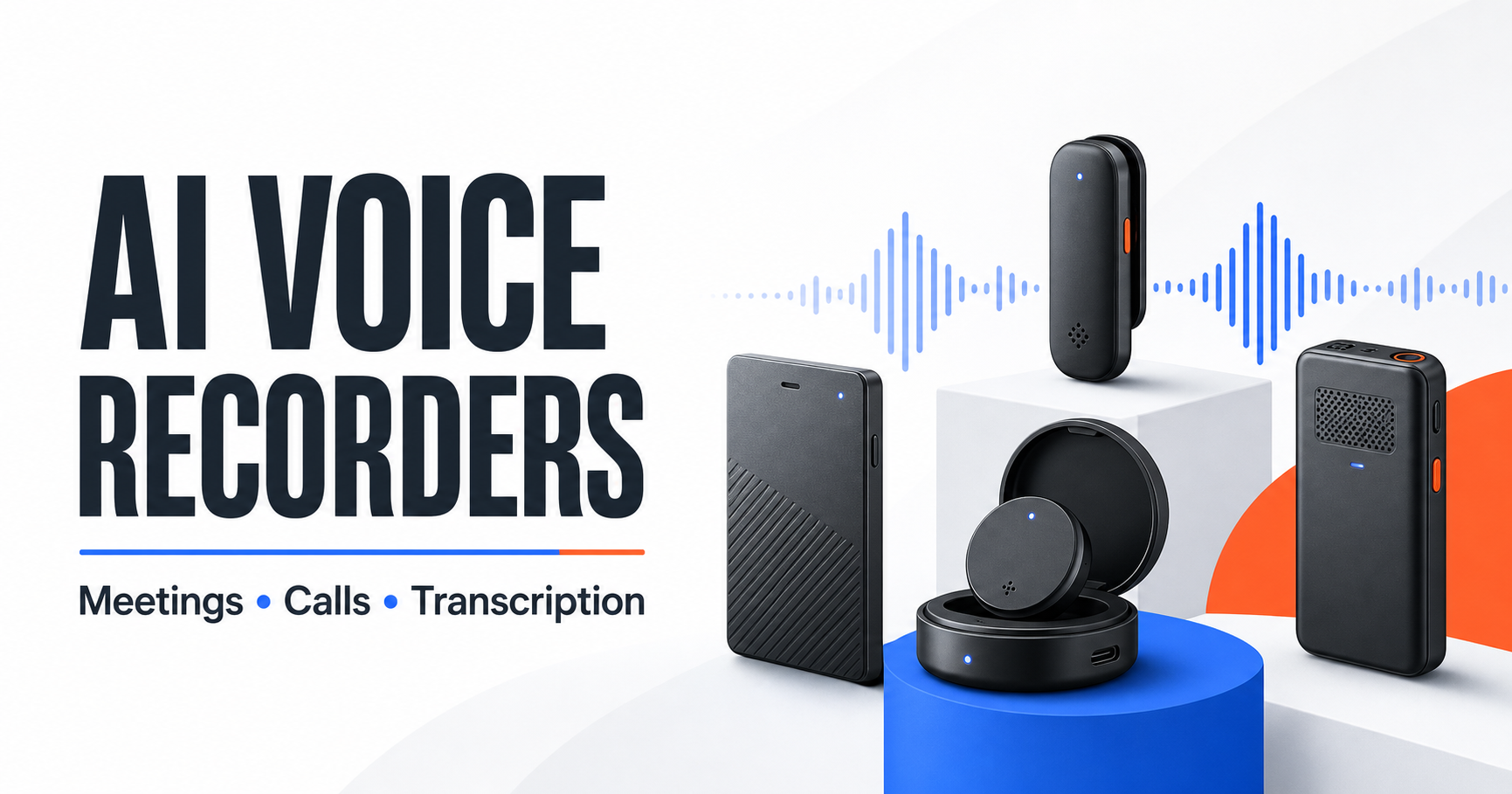
Our research-based pick
Plaud Note Pro
The strongest fit here for professionals who want one pocketable recorder for face-to-face meetings and mobile phone calls. Its main tradeoff is not the hardware—it is the ongoing cost once 300 free transcription minutes per month are no longer enough.
We may earn a commission if you buy through this link, at no additional cost to you. Price and availability can change.
Best fit
- • Frequent in-person meetings
- • Calls and meetings in one workflow
- • Interviews, sales visits, and consulting
Think twice if
You record only a few short meetings, need fully local AI processing, or want podcast-quality audio.
The short answer
Choose Plaud Note Pro if the same device needs to cover a conference table and mobile phone calls. The manufacturer lists four MEMS microphones, one vibration pickup sensor, 64GB of storage, up to 50 hours of continuous recording in Endurance mode, and 300 free transcription minutes each month. A June 2026 PCWorld hands-on review also found it versatile across face-to-face meetings, calls, and computer meetings, while flagging expensive subscriptions and phone-call limitations with headphones.
Choose Comulytic Note Pro when ongoing transcription cost matters most. Its current Starter tier advertises unlimited basic transcription, although advanced analysis remains limited or paid. Choose soundcore Work or Plaud NotePin S when a light wearable is more important than a card recorder designed to attach to a phone.
This is not a claim that Plaud is the best recorder for every job. It is the best match in this comparison for the specific combination of in-person meetings plus phone calls. None of these devices replaces a professional field recorder for music, podcast production, or lossless audio work.
Quick comparison
| Device | Best for | Dedicated phone-call mode | Included transcription | Manufacturer-rated recording time | Main limitation |
|---|---|---|---|---|---|
| Plaud Note Pro | Meetings and mobile calls | Yes | 300 min/month | Up to 30h Enhance; 50h Endurance | Heavy use pushes you toward a paid plan |
| Comulytic Note Pro | Lower ongoing transcription cost | Yes | Unlimited basic transcription advertised | Up to 45h | Advanced insights and job-specific tools are paid |
| soundcore Work | Coin-sized, flexible wear | Not its main use | 300 min/month | 8h recorder; up to 32h with case | Shorter standalone battery; mixed independent transcription results |
| Plaud NotePin S | Hands-free in-person capture | No dedicated call mode | 300 min/month | Up to 20h | Less suitable when phone calls are a core requirement |
Specifications and plan terms above come from current manufacturer documentation. They are not results from a shared BetterPickAdvisor laboratory test.
First-year cost: the number that changes the decision
Hardware price alone is a poor comparison because AI transcription is the recurring cost. The table below uses manufacturer prices and annual plan terms checked on July 22, 2026. Retail promotions, taxes, Amazon pricing, add-on minutes, and plan features can change.
| Device | Hardware price checked | Starter-tier first year | With annual 1,200-min/month plan | With annual unlimited plan |
|---|---|---|---|---|
| Plaud Note Pro | $189 | $189 | $288.99 | $428.99 |
| Comulytic Note Pro | $128.99 sale price | $128.99 | Not directly comparable | About $248.98 with Premium |
| soundcore Work | $159 | $159 | $258.99 | $398.99 |
| Plaud NotePin S | $179 | $179 | $278.99 | $418.99 |
The Comulytic total is not an apples-to-apples unlimited plan comparison. Its Starter tier advertises unlimited basic transcription, while Premium adds deeper analysis and professional tools. Plaud and soundcore meter transcription minutes on their Starter and Pro tiers.
If you record five one-hour meetings per month, Plaud’s included 300 minutes may be enough. At ten or twenty hours per month, the annual subscription matters more than a small difference in hardware price.
Why Plaud Note Pro is our meetings-and-calls pick
It solves two physical recording problems
A normal recorder placed on a table can hear room audio, but recording a phone call through the handset is a different job. Plaud Note Pro combines four air-conduction microphones for meetings with a vibration pickup sensor for calls. For a call, the device attaches to the back of the phone using the magnetic case or ring and records vibrations from the handset.
That design is the clearest reason to choose Plaud over a wearable-only recorder. It does not require a meeting bot to join the call, and recordings can later live in the same Plaud app and web workflow as face-to-face conversations.
There are limitations. PCWorld found the method worked well with an iPhone and a Samsung handset, but also noted that headphones could not be used for those recorded calls. Phone shape, case thickness, placement, and local recording rules can all affect the real experience.
The hardware is built for meeting rooms, not studio audio
Plaud’s current specifications list:
- four MEMS microphones and one VPU;
- a manufacturer-rated pickup distance up to 16.4 feet in Enhance mode;
- up to 30 hours of continuous recording in Enhance mode;
- up to 50 hours in Endurance mode, with a shorter rated pickup distance;
- 64GB of local storage;
- a 0.95-inch AMOLED status display;
- a 30-gram, 0.12-inch-thick body;
- Apple Find My support.
Those figures describe capability, not guaranteed clarity in every room. Distance, speaker volume, overlapping conversation, HVAC noise, echo, and placement all affect the audio sent to transcription. PCWorld considered the audio acceptable even in noisier environments, but explicitly warned buyers not to expect podcast-quality recordings.
The useful output is the workflow after recording
Plaud advertises transcription in 112 languages, speaker labels, structured summaries, mind maps, action items, templates, and Ask Plaud. The more practical benefit is consolidation: a user can move from raw audio to an editable transcript and summary without manually exporting a recording into several unrelated services.
AI processing is not fully local. Recordings must sync into Plaud’s system for transcription and summaries. Important names, figures, quotes, commitments, medical information, and legal details should be checked against the original audio.
The subscription is the main objection
Every Plaud device includes 300 transcription minutes per month. Plaud currently lists:
- Starter: free, 300 minutes per month;
- Pro: 1,200 minutes per month, $99.99 billed annually;
- Unlimited: $239.99 billed annually, subject to Plaud’s stated daily-use cap;
- optional minute packs for extra transcription.
Five free hours per month sounds generous until meetings are counted. A professional with three one-hour meetings each week would use roughly 720 minutes in a four-week month, before interviews or phone calls.
Who should buy it
- Salespeople, consultants, managers, and journalists who regularly move between calls and rooms.
- Professionals who want a dedicated record button rather than another app running on the main phone.
- Users who value a combined mobile, desktop, and web archive.
- Buyers whose monthly usage justifies the hardware and possible subscription.
Who should skip it
- Occasional users who can record and transcribe with a phone they already own.
- Buyers unwilling to upload audio for cloud AI processing.
- Anyone who mainly records music, performances, or podcasts.
- Users who need to record calls through headphones.
- Teams that cannot establish a compliant consent and data-handling process.
Does the Plaud workflow fit your meetings?
Check the current Amazon listing for the exact seller, bundle, return terms, price, and availability. The link below points to the Plaud Note Pro ASIN covered in this guide.
Check price & availability on AmazonThe three alternatives worth comparing
Comulytic Note Pro — best value alternative
Comulytic is the most important counterargument to choosing Plaud. Its official store currently advertises unlimited free basic transcription, over 100 languages, phone and in-person recording, and Premium features from about $10 per month on an annual plan.
It also has meaningful independent evidence. WIRED named Comulytic Note Pro its Best Overall AI Notetaker in a 2026 six-device test, praising the usefulness of its summaries and value while noting slower processing, no real-time transcription, and file-transfer problems in the reviewer’s setup. A separate Notebookcheck hands-on review reported 64GB storage, up to 45 hours of recording, phone-call support, and unlimited transcription, but found that speaker recognition and data-protection questions still require attention.
Choose it if: the recurring price of basic transcription matters more than Plaud’s larger microphone array, established workflow, and automatic meetings-and-calls positioning.
Skip it if: you want the strongest available evidence for polished phone attachment, faster file handling, or a more mature software ecosystem. Its most useful advanced analysis still sits behind Premium.
Official details: Comulytic Note Pro product page.
soundcore Work — best compact wearable
soundcore Work takes a different physical approach. The recorder itself is coin-sized and can be clipped to clothing, worn on a necklace, or attached to a phone accessory. soundcore lists 300 free transcription minutes per month, 150-plus languages, speaker identification, an eight-hour recorder battery, and up to 32 hours when the charging case is included.
The current U.S. hardware price is $159. Its Pro and Unlimited annual prices match Plaud’s current $99.99 and $239.99 tiers. That makes soundcore attractive because of its form factor, not because its long-term AI cost is fundamentally lower.
Independent evidence is mixed. A Senses hands-on review liked the battery, usability, and recording range but reported transcription errors, censorship of some words, and a weak magnetic attachment in that test. Treat soundcore’s advertised accuracy as a manufacturer claim rather than an outcome guaranteed across accents and rooms.
Choose it if: a light wearable and charging case matter more than a card recorder designed around mobile phone calls.
Skip it if: a full working day of standalone recording or a dedicated vibration-based call mode is essential.
Official details: soundcore Work product page and soundcore AI plan page.
Plaud NotePin S — best wearable inside the Plaud ecosystem
NotePin S is the cleaner choice for walk-and-talks, site visits, and hands-free capture. Plaud includes a lanyard, wristband, clip, magnetic pin, charging dock, 64GB storage, 20 hours of continuous recording, and the same 300-minute Starter allowance used by Note Pro.
The compromise is use-case coverage. NotePin S is built around in-person capture and does not have Note Pro’s dedicated phone-call vibration mode. It also has two MEMS microphones and a shorter manufacturer-rated pickup distance.
Choose it if: you already prefer Plaud’s software and want the recorder attached to your clothing rather than your phone.
Skip it if: phone calls are part of the reason for buying dedicated hardware. Note Pro is the more complete fit for that workflow.
Official details: Plaud NotePin S product page.
Which type of recorder actually fits your work?
| Your main need | Best starting point | Why |
|---|---|---|
| In-person meetings plus mobile calls | Plaud Note Pro | Dedicated room microphones and vibration-based call capture in one device |
| Lowest ongoing cost for basic transcription | Comulytic Note Pro | Unlimited basic transcription is currently advertised on the Starter tier |
| Light clip or necklace recorder | soundcore Work | Coin-sized wearable with a charging case |
| Hands-free capture inside Plaud | Plaud NotePin S | Multiple wearing options and the same Plaud workflow |
| Zoom, Meet, and Teams only | Meeting software or a desktop recorder | Dedicated pocket hardware may add cost without solving a new problem |
| Music, podcasts, or live performance | Traditional field recorder | Better controls and raw audio formats matter more than automatic summaries |
Dedicated recorder vs. meeting app
A dedicated recorder earns its place when the phone is already being used, several people are sitting around a table, the user moves between locations, or a mobile call must be captured through physical hardware. One-button recording also reduces the friction of opening an app and checking that the correct microphone is active.
Software remains the better fit for many online meetings. It can capture computer audio directly, associate notes with calendar events, and share action items with a team without transferring files from another device. Some desktop tools work without visibly inviting a bot, so “without a meeting bot” does not automatically mean hardware is required.
Before buying, test the recorder already on your phone for one week. If the real problem is remembering to start, battery drain, placement, phone-call capture, or organizing the output, dedicated hardware may solve it. If the phone workflow already works, a $129–$189 device plus a subscription is harder to justify.
Privacy, cloud processing, and recording consent
These products record locally, but their AI value generally depends on cloud processing. Encryption and compliance claims do not remove the need to decide:
- who may record;
- who can access the audio and transcript;
- how long files are retained;
- whether sensitive conversations may be uploaded;
- how inaccurate transcripts are corrected;
- how recordings are deleted or exported;
- whether the provider’s terms fit an employer or regulated workflow.
Plaud lists security and privacy frameworks including SOC 2, ISO 27001/27701, GDPR, HIPAA, and EN 18031. Those statements describe the provider’s controls; they do not make every user’s recording practice automatically compliant.
Recording laws in the United States vary by state, the people involved, and the type of communication. The safest operational rule is simple: tell everyone, obtain affirmative consent, and make it clear how the recording will be used. This guide is general product information, not legal advice.
What we evaluated
We compared the four devices using the same decision factors:
- Use-case coverage: in-person meetings, calls, interviews, and wearable capture.
- Recording hardware: microphone arrangement, rated range, battery, storage, controls, and form factor.
- AI workflow: transcription allowance, speaker labels, summaries, exports, and app or web access.
- Ongoing cost: free limits, annual plans, and first-year ownership cost.
- Privacy tradeoffs: local recording, cloud processing, deletion claims, and published security documentation.
- Independent evidence: current hands-on reports were used to challenge manufacturer claims where available.
- U.S. availability: TicNote was excluded from the ranked four because Mobvoi’s official U.S. product page showed it out of stock when checked.
We did not combine unrelated reviewers’ results into a made-up numerical score. We also did not test these devices ourselves. “Best” labels describe use-case fit based on the evidence above, not universal performance.
Final recommendation
Plaud Note Pro is the most coherent choice here for a person who moves between face-to-face meetings and mobile phone calls and wants both sources organized in one AI workflow. Its thin hardware, meeting microphone array, vibration call pickup, long rated recording time, and cross-device software make the buying case clear.
The objection is equally clear: 300 free minutes is enough for light use, not a meeting-heavy calendar. Compare the $189 hardware price with the $288.99 first-year total on Plaud Pro before deciding.
Comulytic is the better value challenge, soundcore Work is the more compact wearable, and NotePin S is the better hands-free Plaud device. If none of those distinctions solves a problem your phone or meeting software already has, do not buy dedicated hardware yet.
Check the exact Plaud Note Pro listing
Confirm the seller, current price, included case and cable, return policy, and availability before purchasing.
Research sources
Manufacturer sources were used for specifications, current prices, plan allowances, and stated security features:
- Plaud Note Pro official product page
- Plaud Note Pro official comparison and storage guidance
- Comulytic Note Pro official product page
- soundcore Work official product page
- soundcore AI Note Taker service plans
- Plaud NotePin S official product page
Independent hands-on sources included PCWorld’s Plaud Note Pro review, WIRED’s 2026 AI notetaker comparison, Notebookcheck’s Comulytic Note Pro review, and Senses’ soundcore Work review.
Last fact-check: July 22, 2026.